
Most B2B companies need a solid SaaS dashboard. Instead of relying on static reports, a good dashboard turns confusing data into clear, actionable insights. Teams can make decisions faster and more confidently. It becomes the mission control for your business, highlighting what’s working and what needs attention. A great dashboard is key to SaaS growth and a powerful way to boost sales using your SaaS platform.
This blog breaks down why dashboards are so important, what metrics to obsess over, how to whip up a custom dashboard that actually works, and when to call in the pros for SaaS website development and web application design and development.
Why a SaaS Dashboard Is Critical for B2B SaaS Companies
Did you know that data-driven organizations are 23 times more likely to acquire customers and 19 times more likely to be profitable than their peers, so tapping into your data isn’t just smart, it’s essential. A nice SaaS dashboard can help you get accurate data easily and become a data-driven company accountable for each decision made.
A SaaS dashboard isn’t just a pretty interface. It’s a central, real-time visual display of key metrics and data for your software-as-a-service product, helping you quickly understand performance and make informed decisions. It can truly change how a B2B SaaS company operates and grows. Instead of just showing numbers, it streamlines operations, gives you deep visibility into your business, and empowers every team member to make smart decisions based on facts, not guesses.
The Power of a Custom SaaS Dashboard
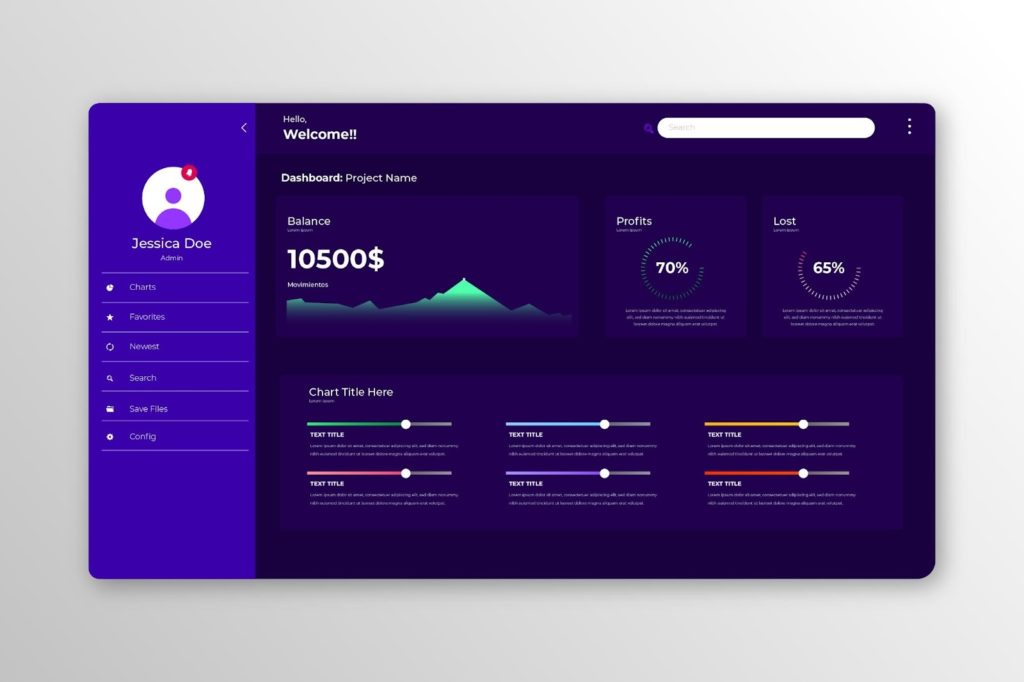
A tailored SaaS dashboard serves as the command centre for your business. Instead of juggling spreadsheets or logging into countless apps, you get a real-time, visual snapshot of your company’s health all in one place. This is especially crucial for B2B SaaS companies handling complex metrics like recurring revenue, churn rates, and user engagement across enterprise clients. By visualizing your vision, displaying the KPIs that reflect your strategic goals, your dashboard keeps everyone on the same page. Teams can spot trends at a glance and make informed decisions faster.
For example, if sales are trailing this quarter or customer churn ticks up, you’ll see it immediately and can react proactively. A well-designed dashboard also fosters transparency and alignment. Marketing, sales, customer success, and executives are all working from the same data, which is key to growing your SaaS business in a unified direction. Here are some steps to take when making a custom dashboard:
- Define Your Goals and Users: Start by pinning down the purpose of your dashboard. What questions do you need it to answer? Make a list of the key decisions it should support. Also, identify who will use it. A CEO might want high-level financial trends, while a marketing manager needs campaign performance details. Clarifying these goals ensures your dashboard is aligned with both user needs and business objectives from the outset.
- Identify the Right KPIs: With goals in mind, choose the metrics that matter most. It’s easy to drown in data, so focus on KPIs that truly reflect success for your SaaS model. For example, if reducing churn is a goal, make sure churn rate is front and center. Each metric should tie back to a goal (avoid vanity metrics that don’t drive action). This step is about deciding what to measure to achieve your defined objectives.
- Gather and Integrate Data: A custom dashboard will pull information from various sources, your product database, analytics tools, CRM, billing system, marketing platforms, etc. Map out all the data sources and set up a way to connect them. This might involve using APIs, webhooks, or a data warehouse to feed data into the dashboard in real time. The objective is to have a single source of truth.
- Design the User Interface: Now, focus on how the data will be presented. Great dashboard design follows principles of clean, user-friendly design: clarity, simplicity, and intuitive navigation. Use charts and graphs that make sense for the data (e.g. line charts for trends over time, pie or bar charts for breakdowns). Avoid clutter by highlighting the most important visuals at the top. Ensure the design is responsive (so it works on different devices) and uses consistent colours and branding.
- Develop and Test: With a design blueprint in hand, move into development. This involves front-end development (creating the interactive charts, graphs, and layout) and back-end development (setting up databases or APIs to retrieve and aggregate data). Modern SaaS dashboards often leverage frameworks and libraries (for example, a JavaScript framework for the front end and a data visualization library like D3.js or Chart.js).
- Iterate and Evolve: Launching your dashboard is not the end, it’s just the beginning. Plan to iterate as your SaaS business grows and changes. You might discover you need to add a new metric or that some charts aren’t as useful as anticipated.
At Digilite, we can help you go from idea to fully functional product. Our team can design and develop a custom SaaS platform with a modern, data-driven dashboard tailored to your business goals, so you’re not just collecting data, you’re actually using it to grow.
Choosing the Right Visualizations
Pick the right chart for the job.
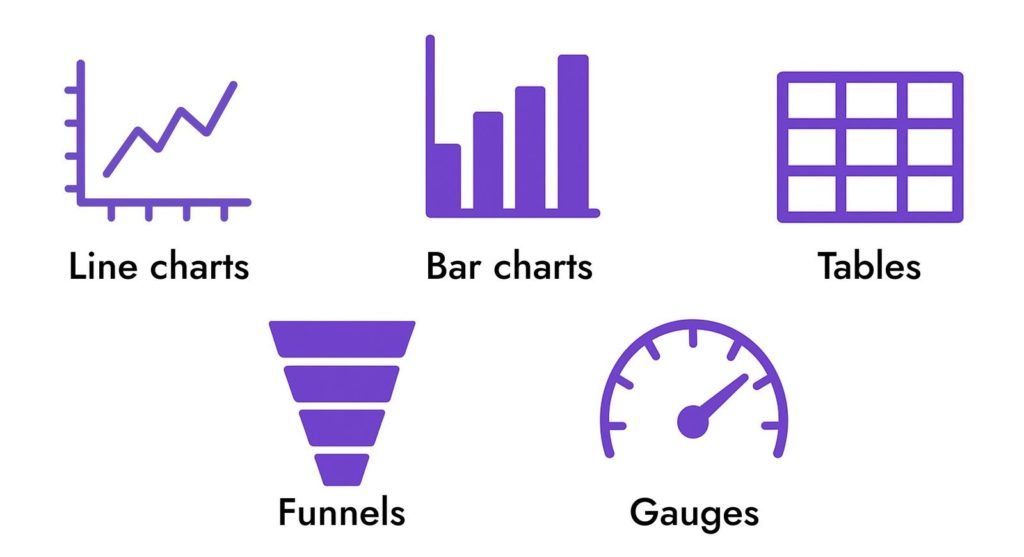
- Line charts: Trends over time.
- Bar charts: Comparing different categories.
- Tables: Precise, detailed data.
- Funnels: Conversion rates and drop-off points.
- Gauges: Progress towards a goal.
Essential Metrics to Drive SaaS Growth
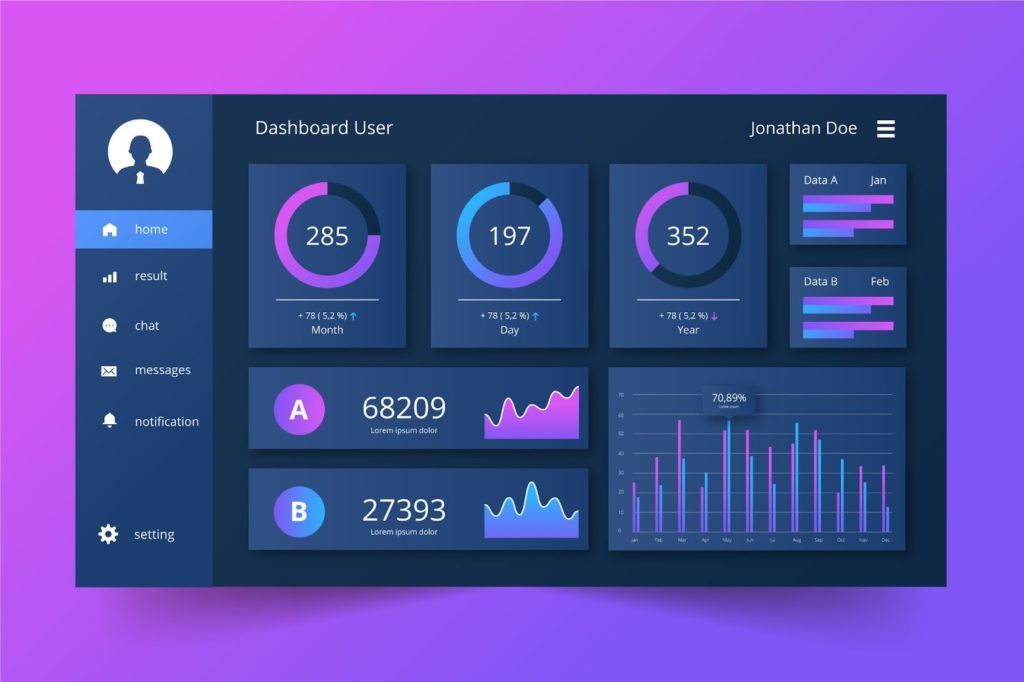
What should you track on your SaaS dashboard? The answer will vary depending on your business model and goals, but there are core Key Performance Indicators (KPIs) that every SaaS business should monitor closely. Focusing on these metrics will help you identify opportunities and issues early, enabling data-driven decisions that drive growth. Here are some of the most important metrics to include:
- Monthly Recurring Revenue (MRR) and Annual Recurring Revenue (ARR): The lifeblood of any subscription business. MRR/ARR show your recurring revenue stream’s size and growth trajectory. Tracking these helps you gauge if you’re consistently increasing sales and growing your SaaS business month over month.
- Customer Acquisition Cost (CAC): How much you spend to acquire a new customer (marketing, sales, etc.). Keeping CAC in check is crucial—pair it with the next metric to ensure profitability.
- Customer Lifetime Value (LTV): The total revenue you expect from a customer over their life with your product. When LTV is significantly higher than CAC, you’re in a good position. A dashboard can automatically compute LTV and the LTV: CAC ratio, so you know if your customer acquisition strategy is sustainable.
- Churn Rates: Both Customer Churn (percentage of users cancelling in a period) and Revenue Churn (percentage of revenue lost from cancellations or downgrades). High churn is a red flag for any SaaS. By charting churn on your dashboard, you can quickly see if retention efforts are improving or if product issues are causing customers to leave.
- Active Users and Engagement: For SaaS products, usage metrics are critical. This might include Daily Active Users (DAU), Monthly Active Users (MAU), or feature usage frequency. In a B2B SaaS dashboard, you might track user engagement per account or feature adoption rates to understand what drives value for clients.
- Conversion Funnel Metrics: If you offer free trials or a freemium tier, include metrics like trial-to-paid conversion rate, new user sign-ups, and onboarding completion rate. These show how well you are turning interested prospects into paying customers.
- Retention and Expansion: Metrics such as Net Revenue Retention (NRR) or expansion MRR indicate how much your existing customer base is growing or shrinking. A healthy SaaS business often gets significant revenue from upsells, cross-sells, or increased usage by current customers. Your dashboard should highlight if you’re successfully expanding accounts or if contraction (downsells) is creeping in.
- Support and Satisfaction: Consider tracking customer support tickets, response times, and customer satisfaction scores (e.g. CSAT or NPS). These operational metrics can impact churn and referrals. For instance, a spike in support issues might explain a dip in user happiness or engagement, pointing your team to areas that need improvement.
By monitoring these KPIs in real time, you can truly drive growth. The dashboard makes it easy to see cause-and-effect: for example, an increase in website traffic (thanks to a new marketing campaign) might lead to more trial signups, which next month boosts MRR. Or if churn inches up, you can correlate it with declining user engagement and immediately task your team to investigate why. In short, measuring the right things helps you manage and improve them.
Real-World Examples of Custom SaaS Dashboards
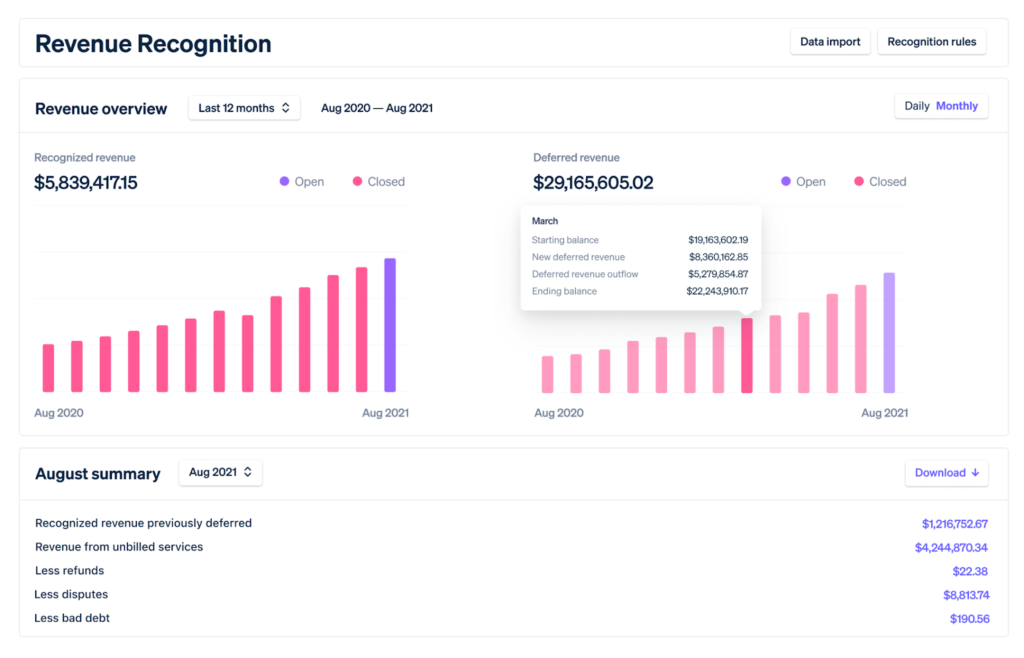
1. Stripe – Payments and Revenue Overview
Stripe’s dashboard gives finance and product teams a clear view of payments, revenue, and refunds in real time. It shows daily and monthly revenue, new customers, failed payments, and disputes, all in one place. This helps teams quickly spot trends in cash flow and respond to payment issues before they grow.
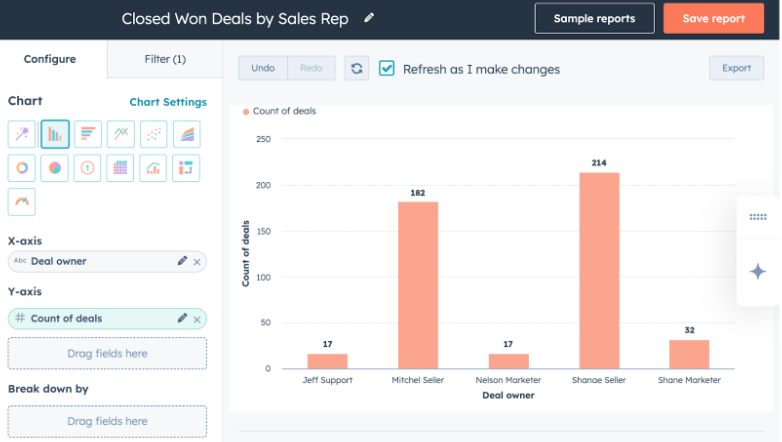
2. HubSpot – Marketing and Sales Performance
HubSpot allows users to build custom dashboards for marketing, sales, and customer success. Teams can track website traffic, leads, email performance, deals by stage, and campaign ROI. Each role can have a tailored view of the metrics that matter most to them, which is exactly what a strong B2B SaaS dashboard should do.
3. Shopify – E-Commerce Business Health
Shopify’s admin dashboard is built for store owners who need to understand business performance at a glance. It highlights total sales, conversion rate, average order value, traffic sources, and top products. This type of dashboard makes it easy to see whether the business is on track for the day, week, or month.
A custom SaaS dashboard is more than just a reporting tool; it’s the embodiment of your business strategy in an interactive, visual format. When you build a custom SaaS dashboard that visualizes your vision and focuses your team on the metrics that matter most, you equip your organization with clarity and direction. In the competitive SaaS market, that can be a game-changer. Instead of reacting blindly, you’re making informed adjustments well before a problem escalates or an opportunity fades. From initial SaaS website development to ongoing refinement, creating your dashboard is an investment in insight that pays off every single day.
When your analytics are closely tied to your go-to-market efforts, your dashboard becomes a powerful way to grow sales with a SaaS platform, especially when you combine it with your marketing services to track campaigns, funnels, and revenue impact in one place.
Ready to turn your data into actionable insights?
Let’s design and build a custom SaaS dashboard that drives growth, improves decision-making, and keeps your team aligned; start empowering your business with real-time metrics now.